
See the parenting schedule
Keep connected co-parents informed about custody days, split-day handovers and one-off changes.
The everyday, organised
Plan custody days, holidays and handovers across two homes with ClearPath’s shared calendar for iPhone and iPad.
Need Android? Join the update list →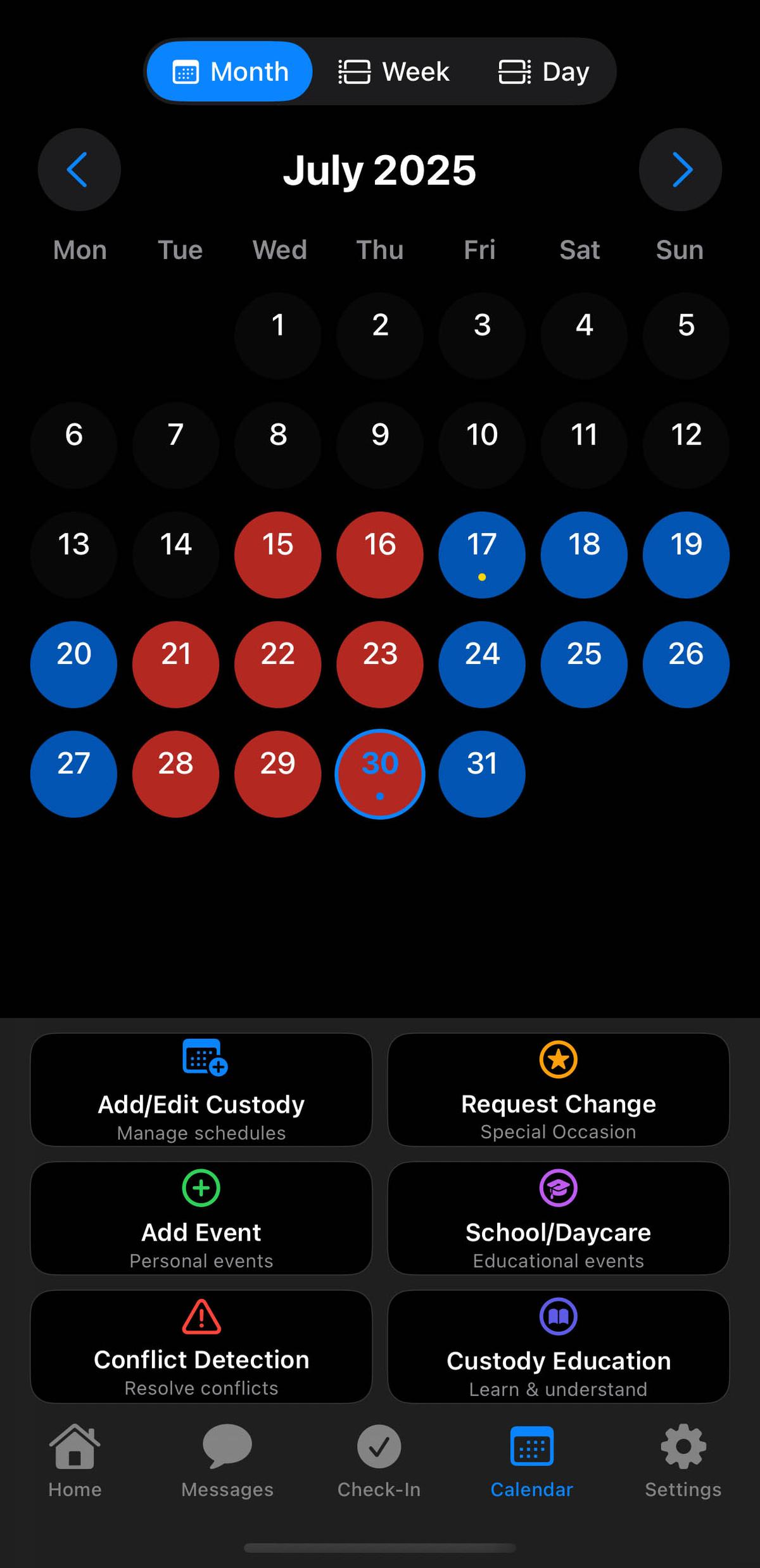
You can explore your own tools before inviting your co-parent. Shared conversations and records need connected accounts.
Keep connected co-parents informed about custody days, split-day handovers and one-off changes.
Add pickup and drop-off locations alongside your parenting schedule. Confirm changes with your co-parent through Messages.
Export supported calendar details as a PDF when you need to review your arrangements.
ClearPath Access
Monthly and annual plans include the same paid features. See your local price in the app before you decide.
A shorter commitment
ClearPath Access, billed each month.
A practical place to start as you build your routine.
For your year ahead
ClearPath Access, billed once a year.
Choose annual if it fits your needs and budget.
Co-parent messaging · Custody schedules · Shared expenses · Parenting documents · PDF records · Brooke AI
Download free. Eligible new subscribers can try ClearPath Access free for 7 days. Apple shows the total price, billing period and trial eligibility before you confirm.
Explore ClearPath on the App StoreSubscriptions renew automatically unless cancelled. Manage or cancel through your Apple Account. Apple Family Sharing can share eligible subscriptions within an Apple family group when enabled; connecting a co-parent in ClearPath does not itself share paid access.
ClearPath provides communication and organisation tools. AI can make mistakes and cannot assess the safety of your situation. Explore the app and use professional guidance where needed.